
Release Notes 11/11/2026
Release NotesPOS:
Orders:
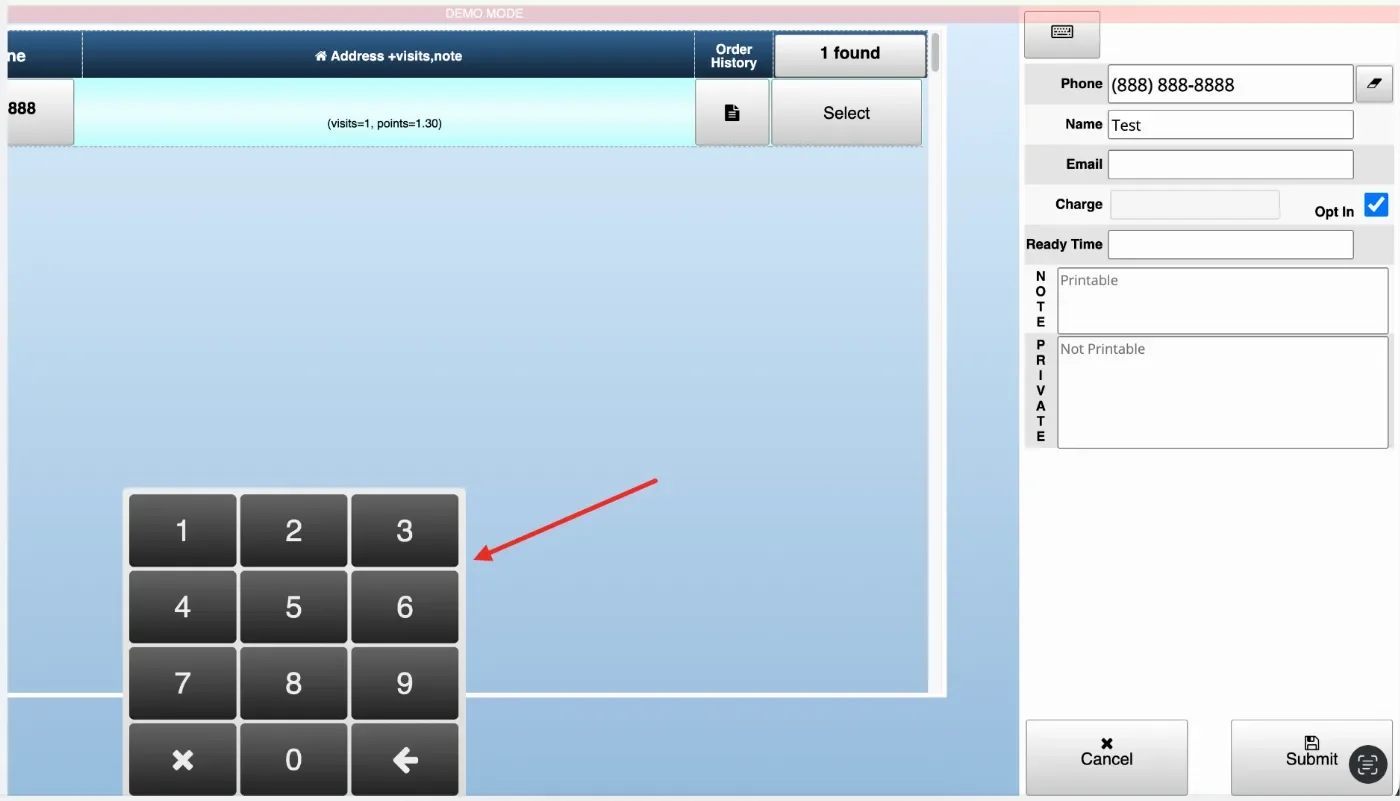
- In the new version, we added a number pad-style keyboard for phone number entry, making it faster and easier for merchants to enter phone numbers. [Ticket #370141]
Print:
- In the new version, merchants can print a customer review QR code on chef printers. Enable Apps > Customer Review > Setting > Back printer print customer review, then enable QR Code Review in the printer settings.
- In the new version, we fixed an issue where StarIMG printers set as Packer printers failed to print complete tickets upon order updates.
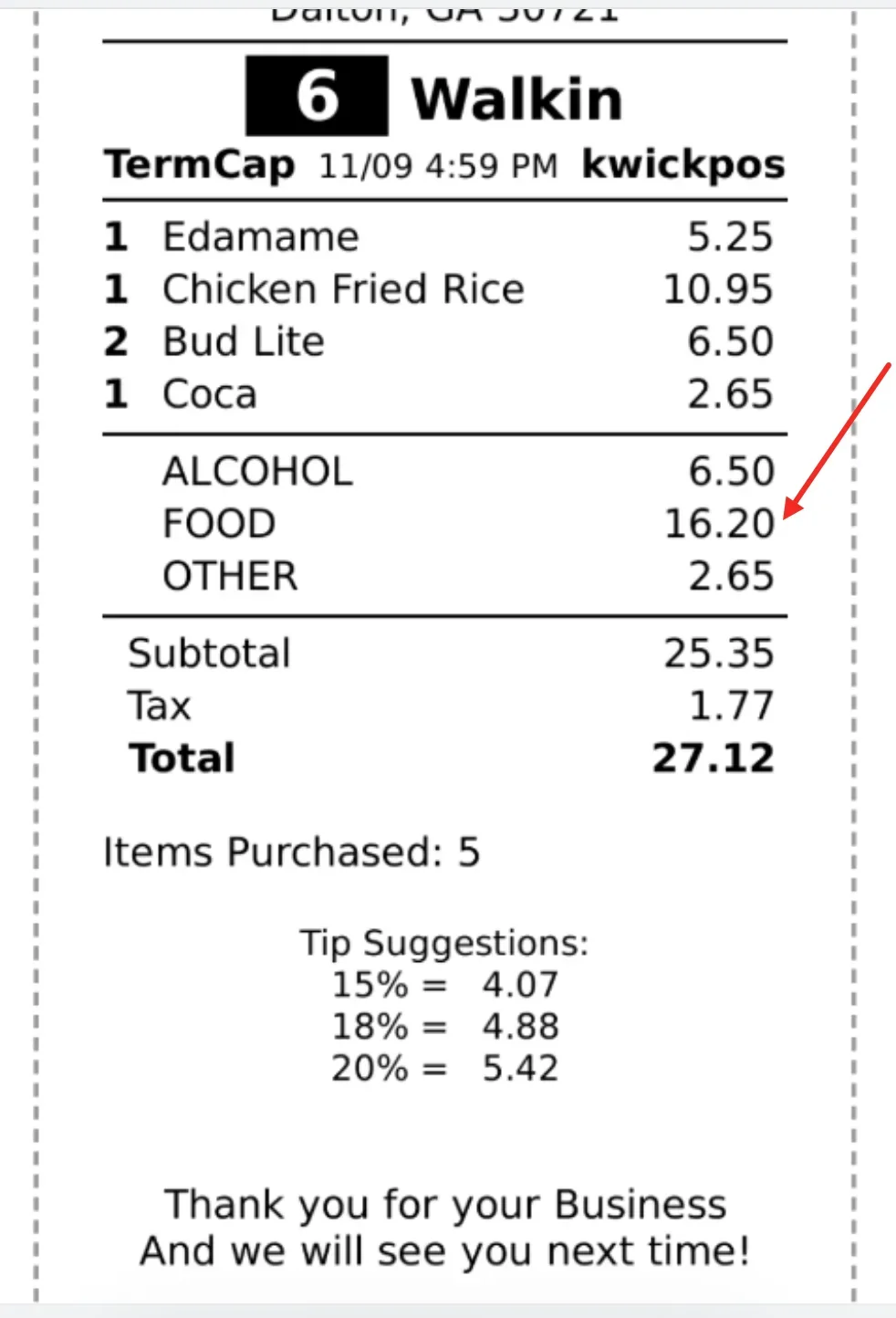
- In the new version, merchants can display AG group totals (e.g., Food and Alcohol) on customer check receipts. Configure at Setup > Orders > Printing > Show AG Group Totals on Receipt.
- In the new version, when the Credit Card (CC) transaction already has a gratuity tip, the CC receipt can be configured to print another set of tip suggestions, such as lower percentages. Configure at: Setup -> Tips -> Tip Suggestions -> Tip suggestions on cc receipt when order has gratuity. [Ticket #367796]
Payment:
- Previously, on Dejavoo devices, Discover payments were incorrectly displayed as Amex on tickets, and vice versa. This issue has been fixed in the new version. [Ticket #369817]
- Previously, NearPay(KwickNFC) transactions from other tablets sharing the same Terminal ID were not marked as Batched after a successful batch. This issue has been fixed in the new version.
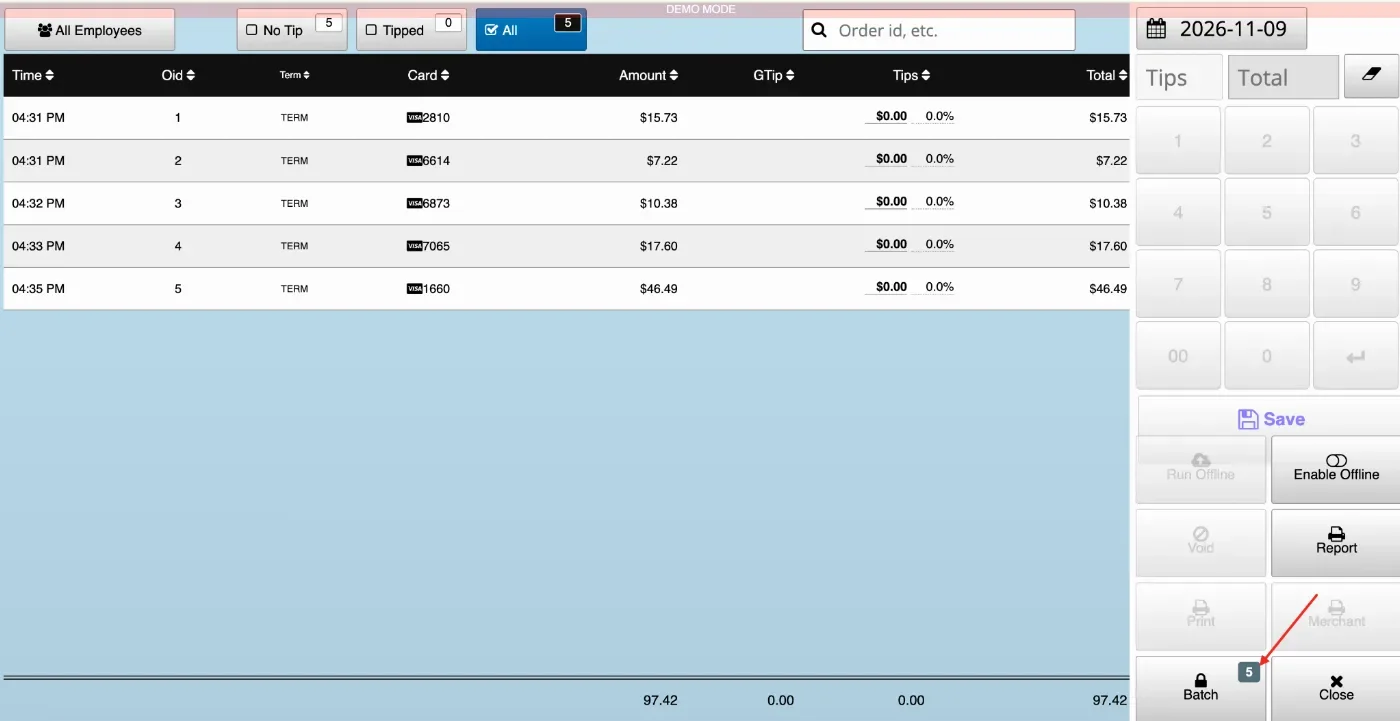
- In the new version, the Credit Batch button can display the number of unbatched transactions.
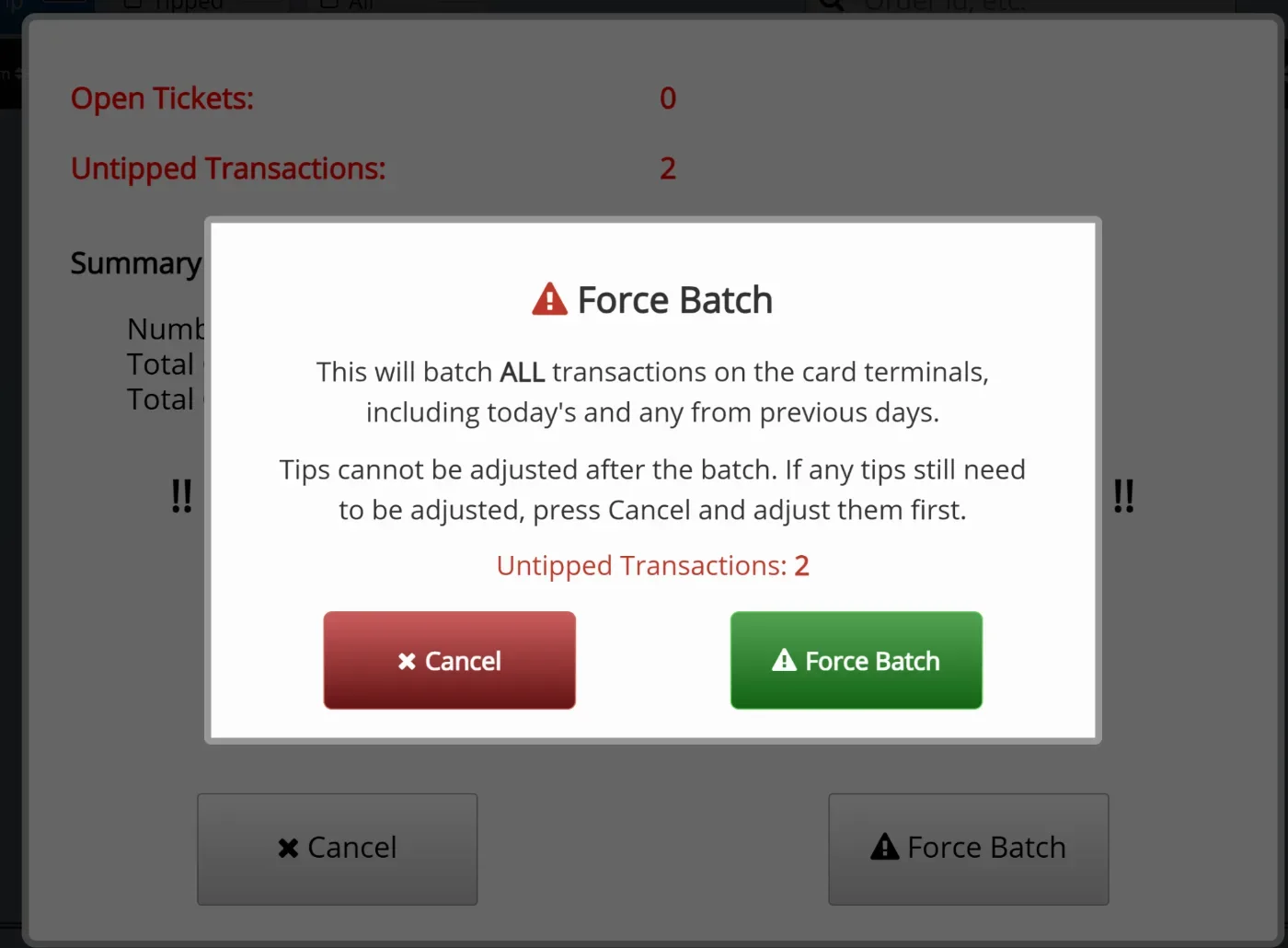
- In the new version, the Force Batch button in the Credit page will display a warning message to remind the user.
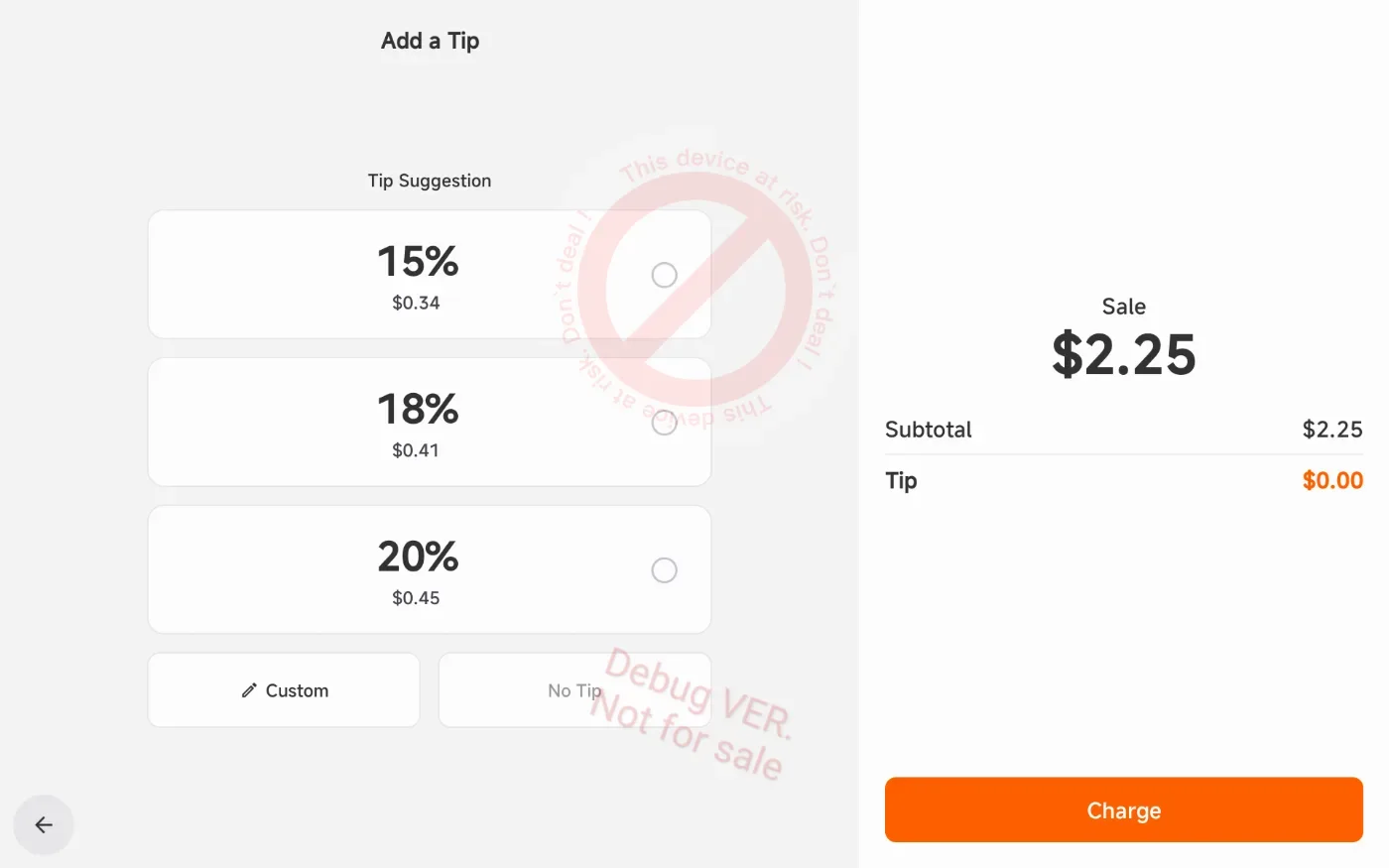
- In the new version, Sunbay supports the Tip On Screen feature, allowing customers to select a tip directly on the payment screen. Enable at: POS New Backoffice > Setup > Terminals > Edit > Terminal Configuration > Tip Screen.
Report:
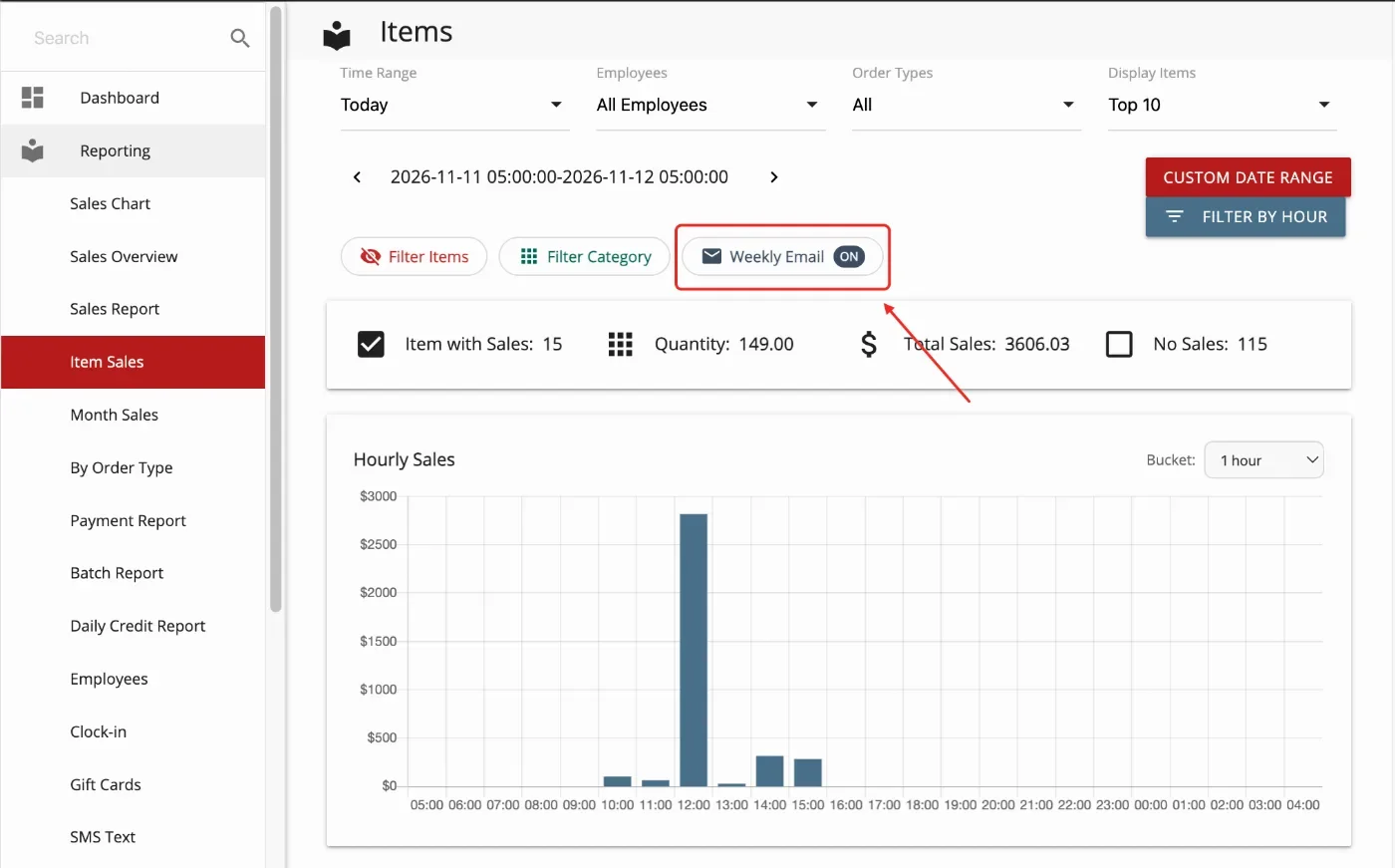
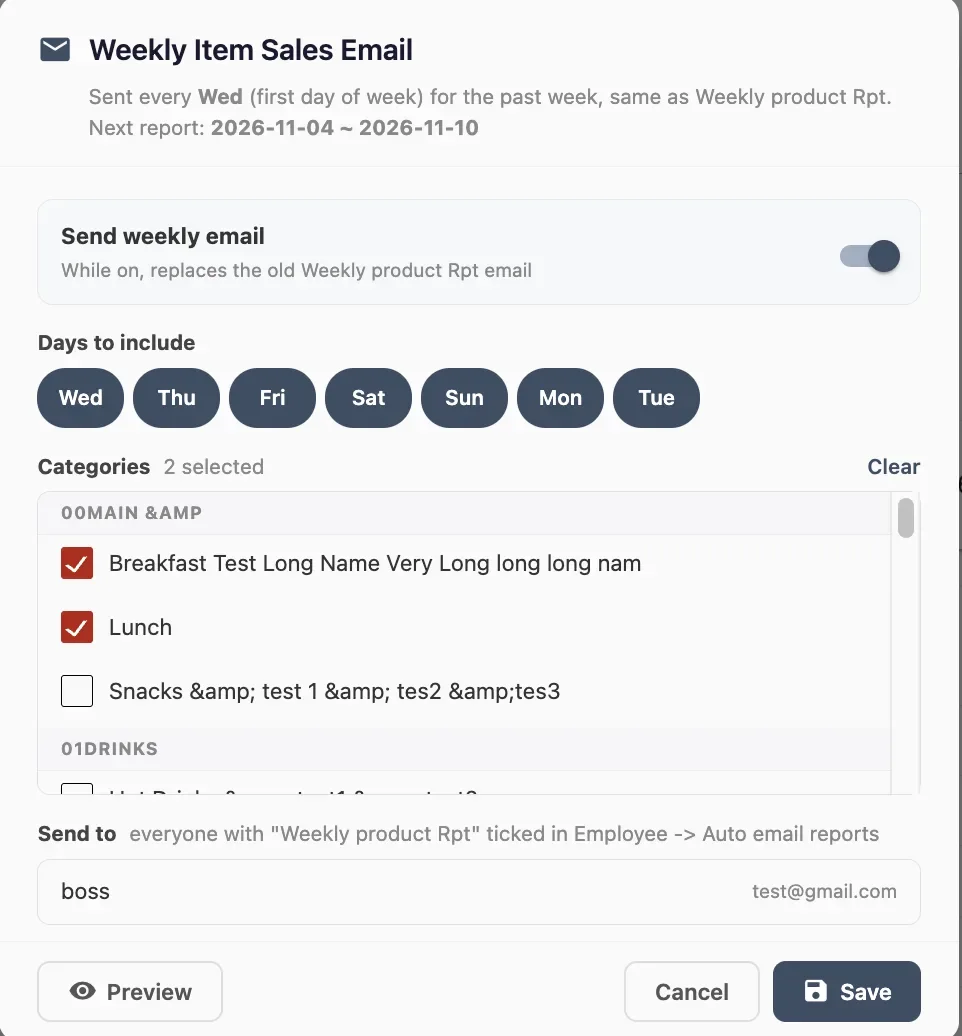
- In the new version, merchants can have a weekly Item Sales report emailed automatically, with a choice of days and categories, showing sales by category, by AG group and by item. Configure at Reports > Item Sales > Weekly Email; the report goes to employees who have Weekly product Rpt checked. [Ticket #369019]
Reservation & Waiting List:
- In the new version, merchants can require a table or server on reservations and set a limit on reservations per hour. Configure at Backoffice > Apps > Waitlist > Reservations. [Ticket #373523 ]
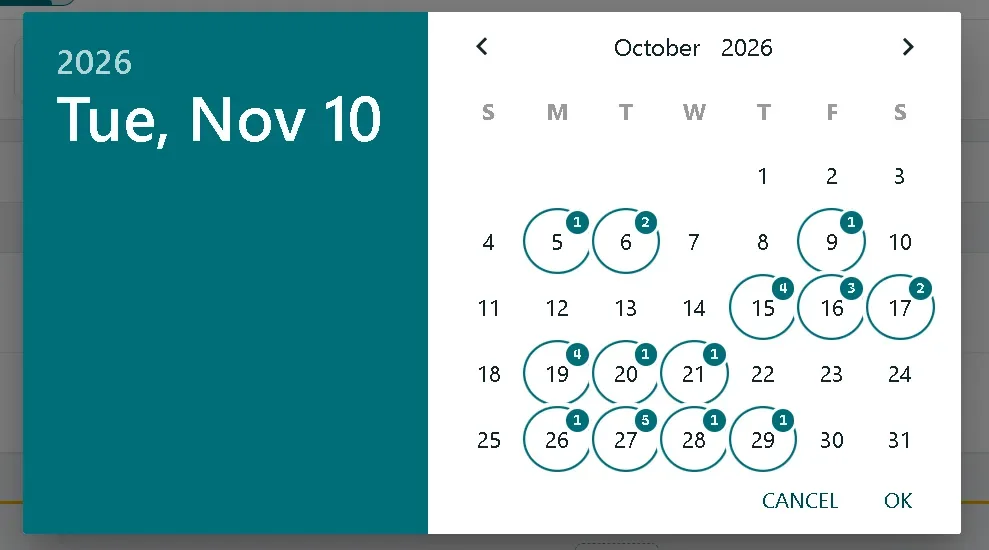
- In the new version, the reservation page shows all upcoming reservations in one view, so staff no longer need to click each date to find them. [Ticket #373085 ]
- In the new version, a reserved table turns gray on the floor plan a set number of minutes before the reservation, as a reminder to staff. Configure at Admin > Apps > Waitlist > Reserved Tables. [Ticket #370918 ]
New Kiosk:
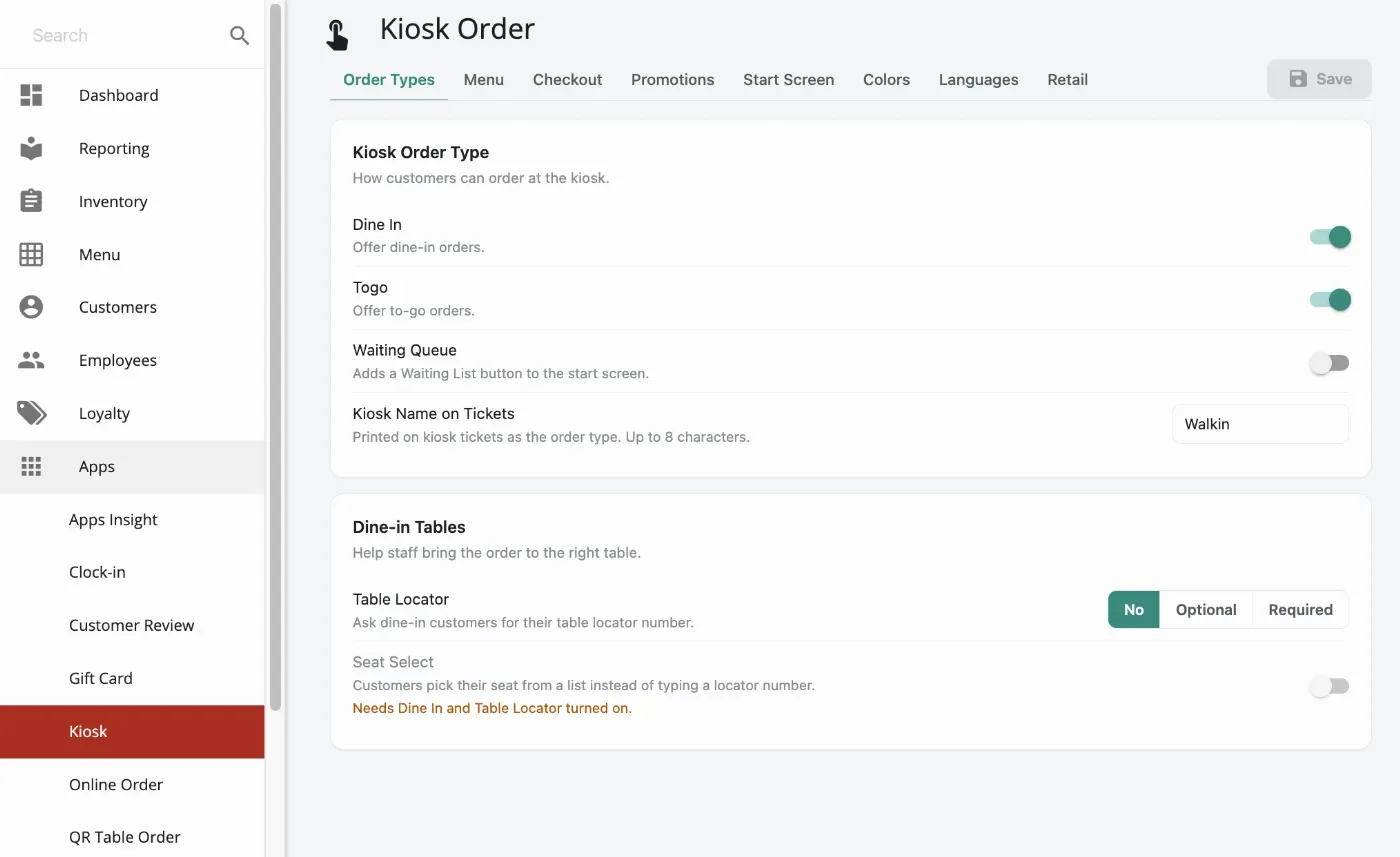
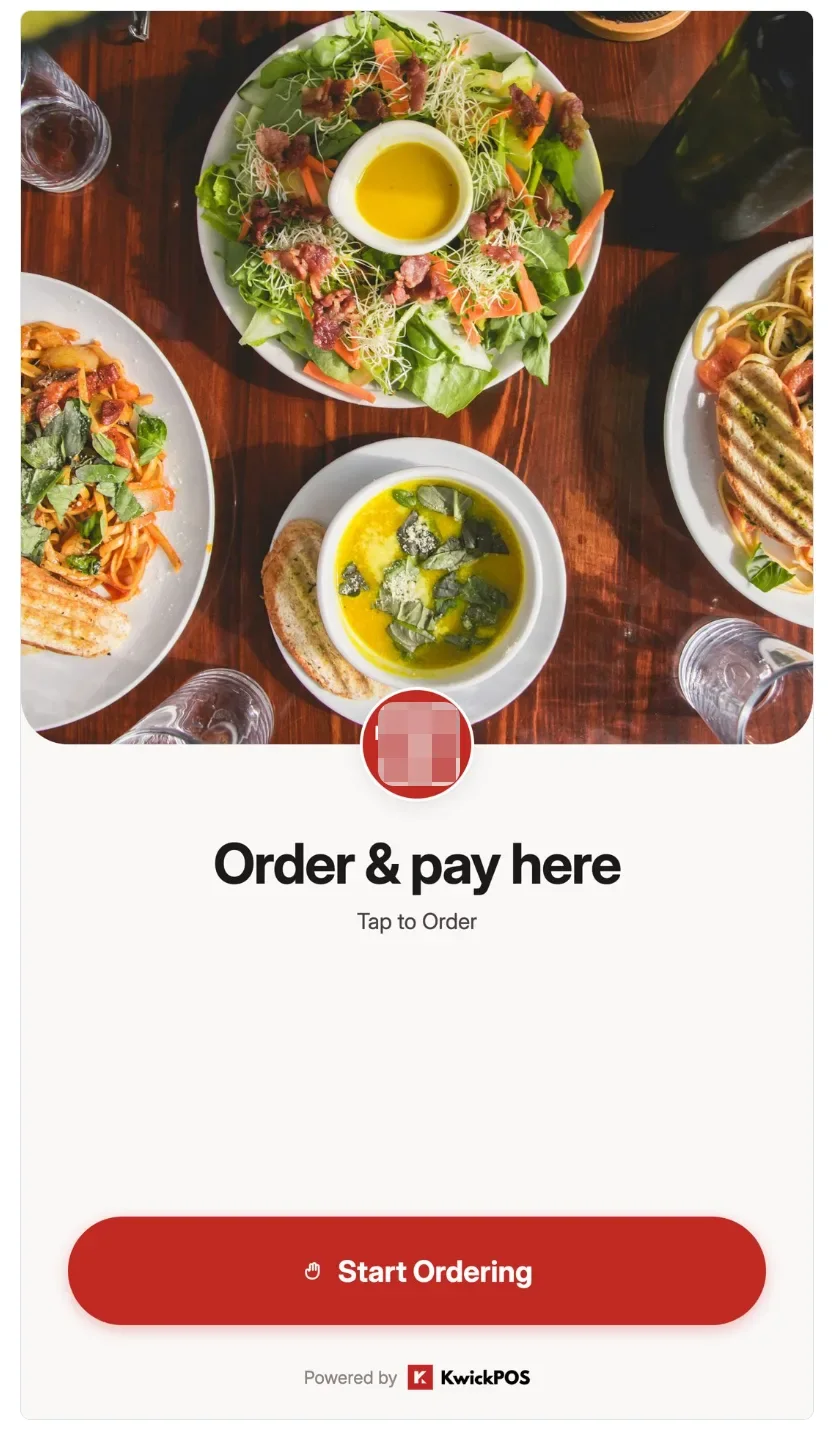
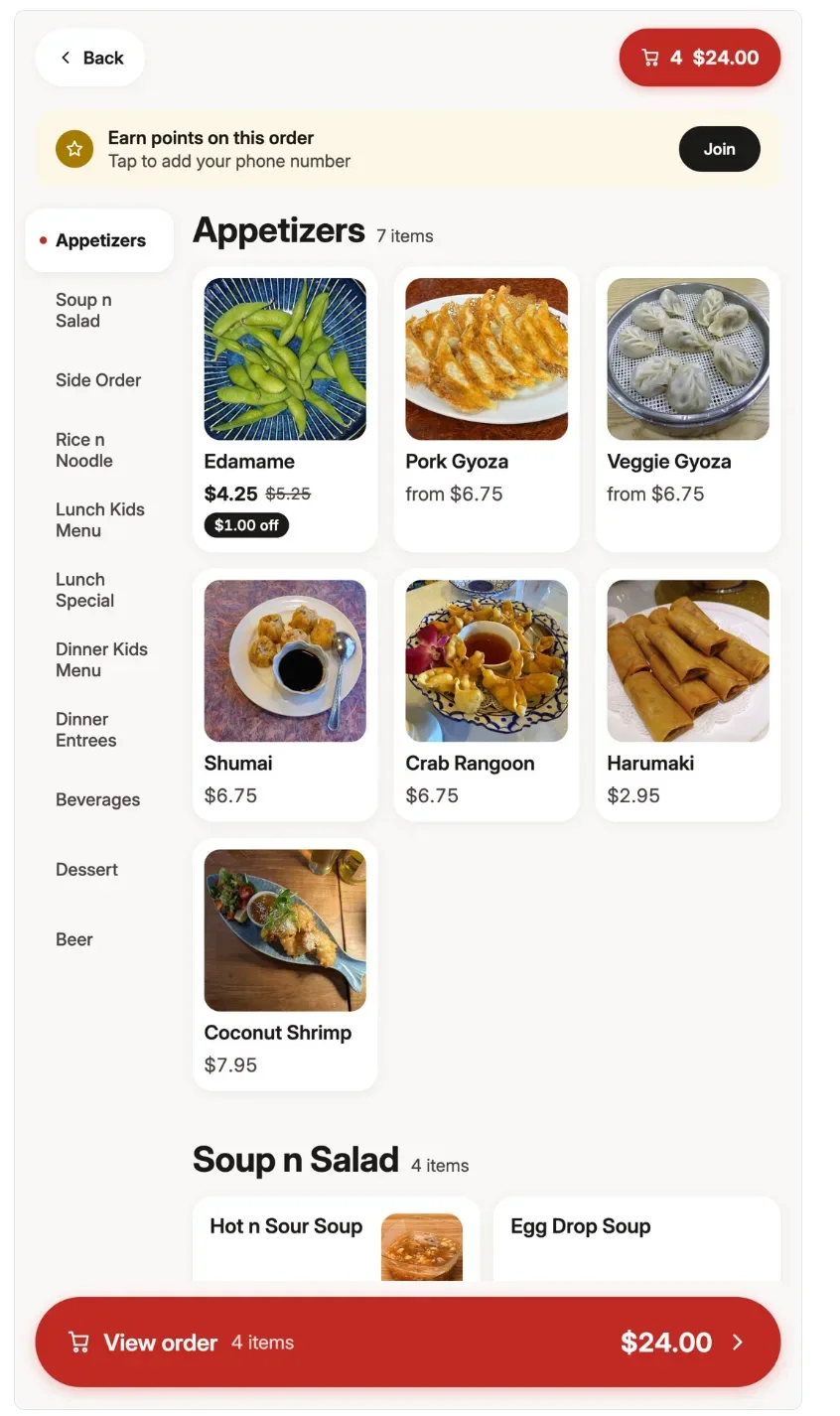
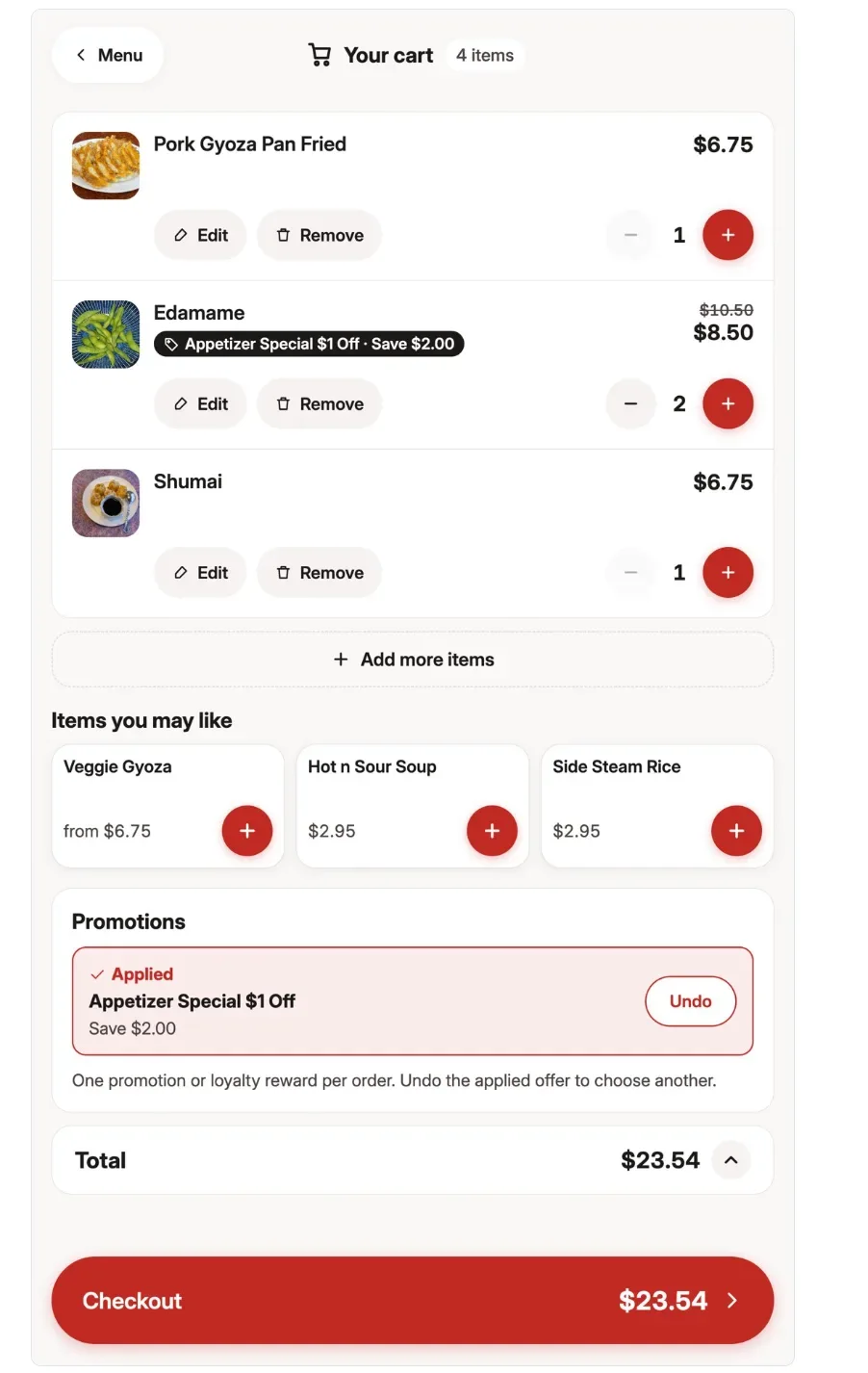
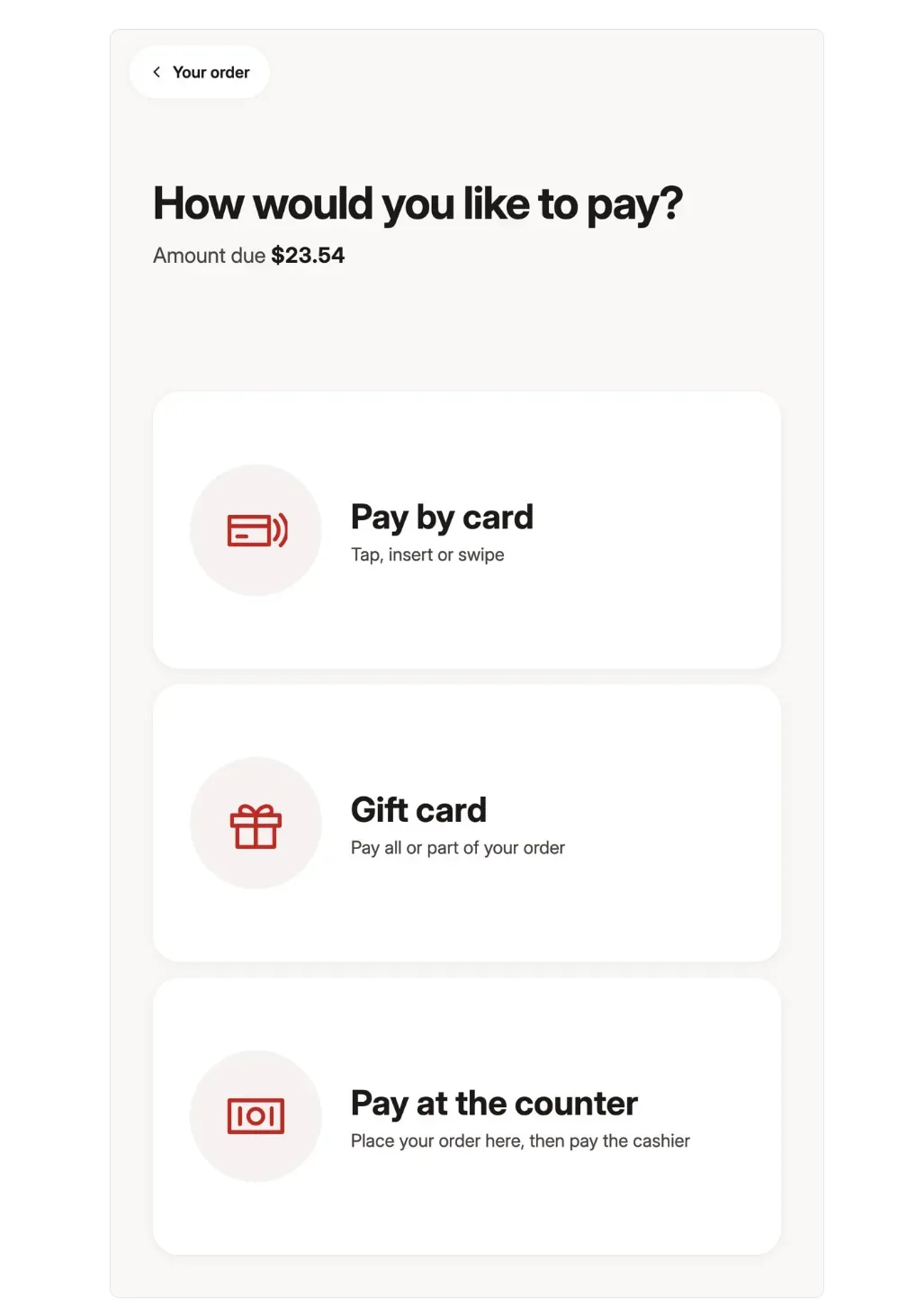
- In the new version, we introduced a redesigned Kiosk with a modern, user-friendly interface. Customers can easily browse menus, customize orders, apply promotions, earn loyalty points, and choose their preferred payment method. Merchants can configure Kiosk settings in New Backoffice > Apps > Kiosk, including order types, menus, checkout, promotions, and appearance.
Other:
- In the new version, merchants can have a service charge applied automatically to new orders of the order types they choose (Dine In, Pickup, Walk In, Delivery). Configure at Setup > Taxes & Fees > Auto Apply Service Charge.

- In the new version, staff can apply a service charge to orders on the new handheld.
- In the new version, customers get a text message when their To-Go order is marked as Done on the KDS. Configure at Apps > New KDS > General > Bumping > Text the customer when the order is done. [Ticket #373334 ]
- In the new version, an on-screen keyboard appears when typing names within the gift card screen. [Ticket #371847]
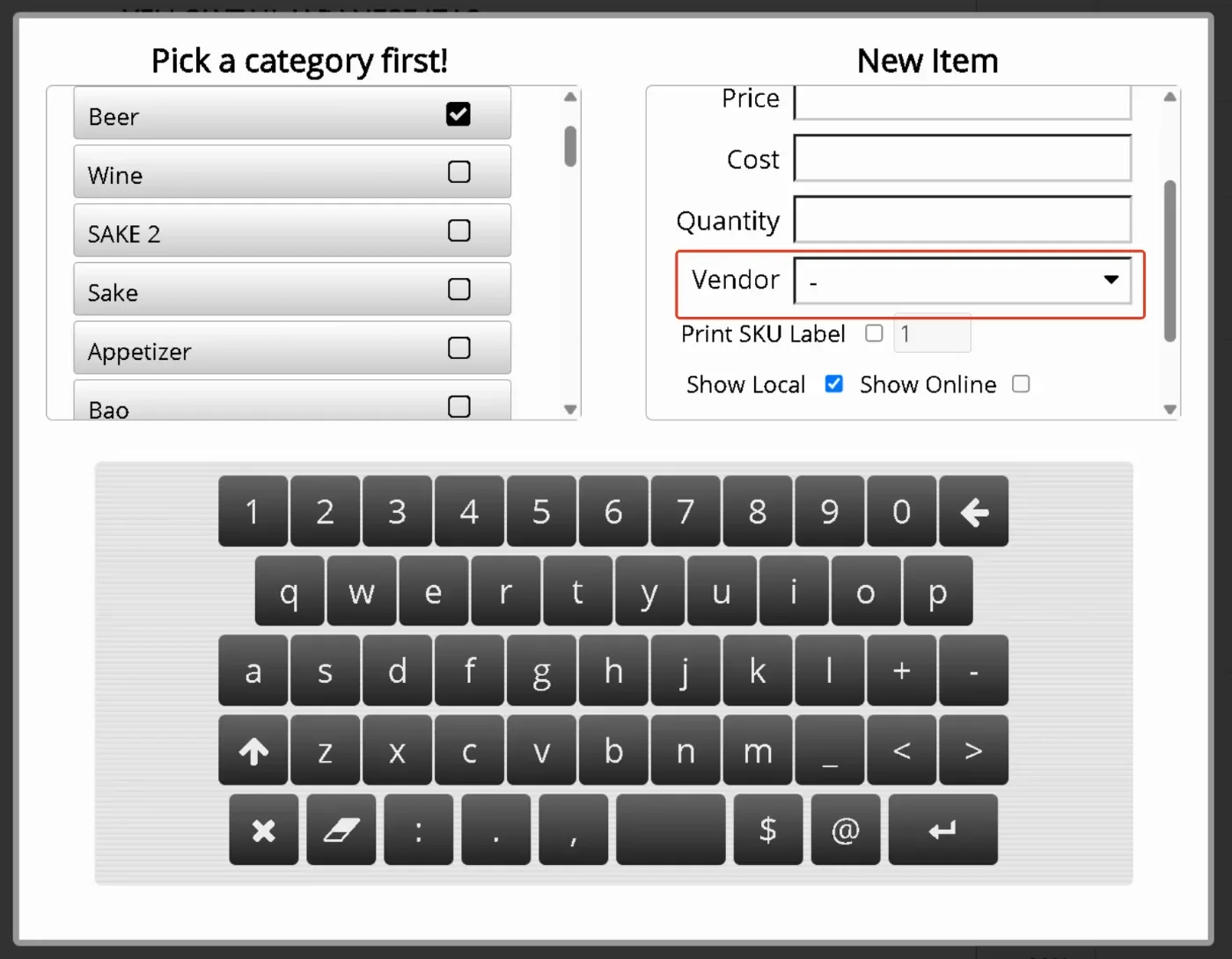
- In the new version, merchants can enter the vendor right when they scan a new stock item into inventory, so they don't have to go back and add them later. [Ticket #371276 ]
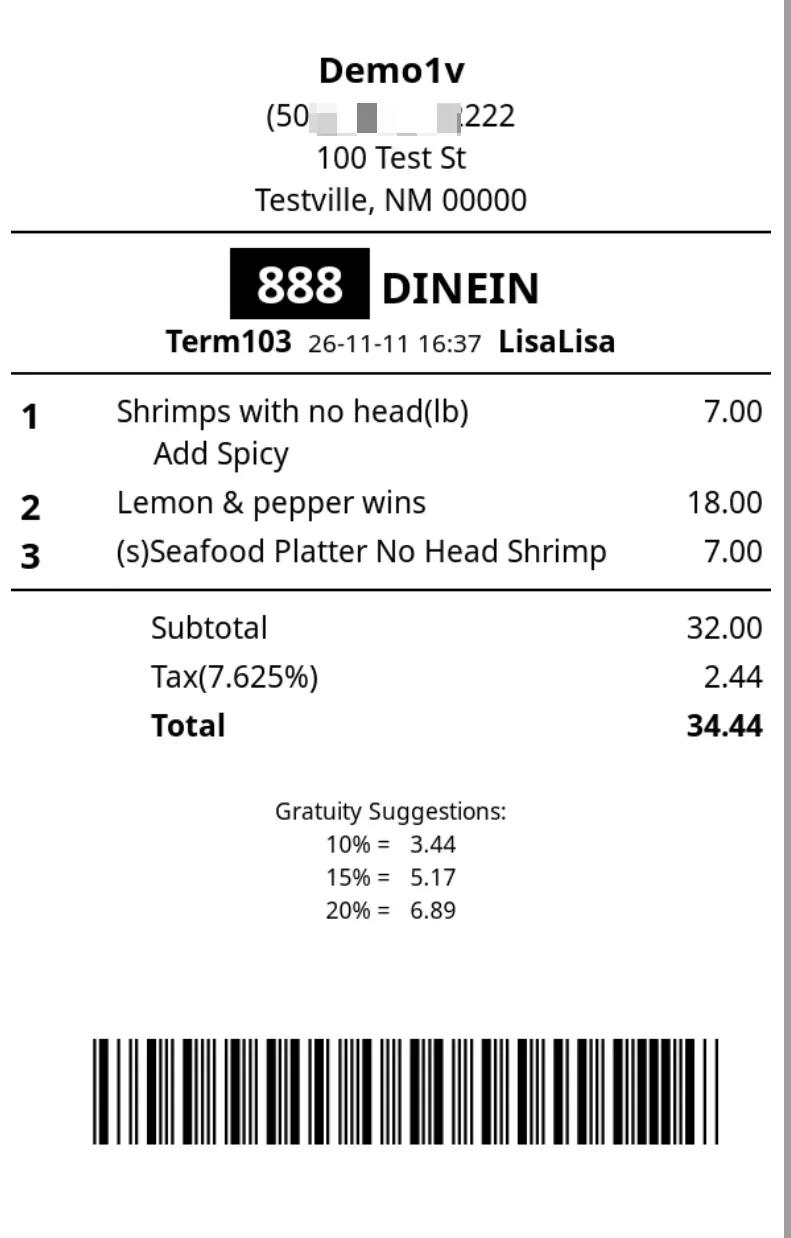
- In the new version, in New Handheld mode, merchants can scan a ticket barcode to load the ticket automatically on the New Handheld interface. [Ticket #369780]
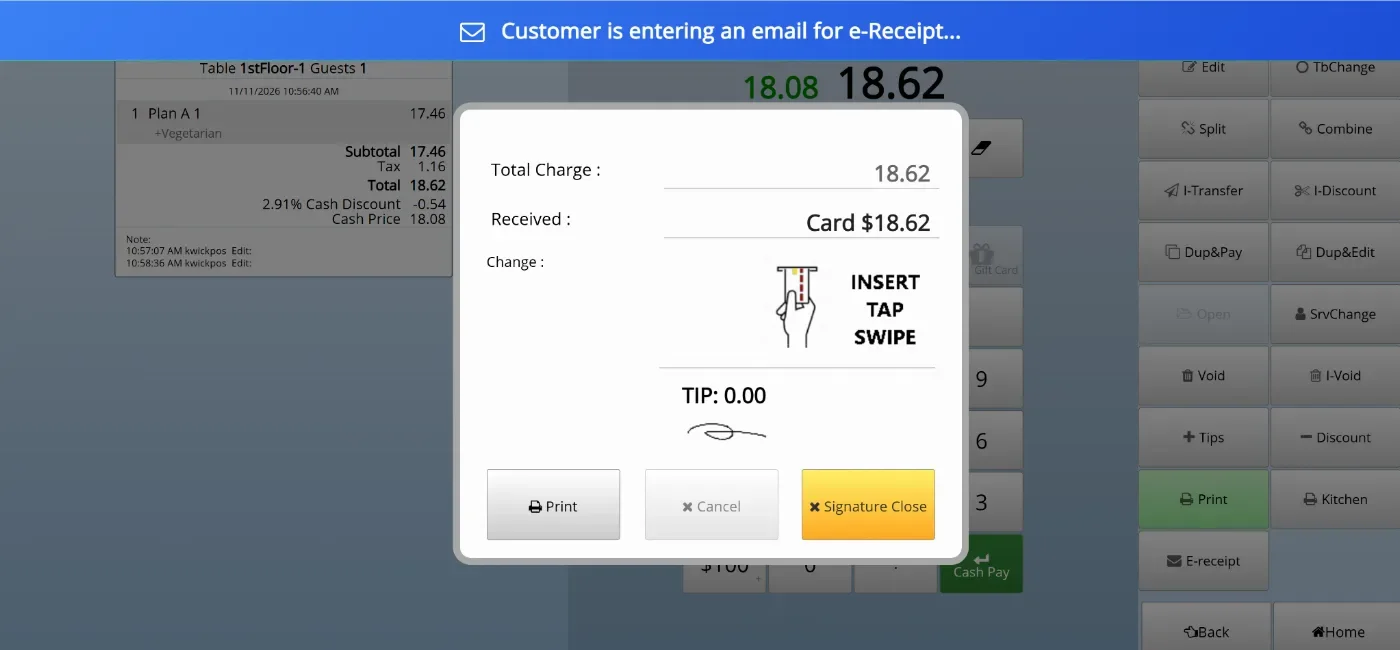
- In the new version, when customers select the receipt option on the Customer Display Screen (CDS), the main POS screen will show a brief pop up to indicate customer selection for staff. [Ticket #365465]
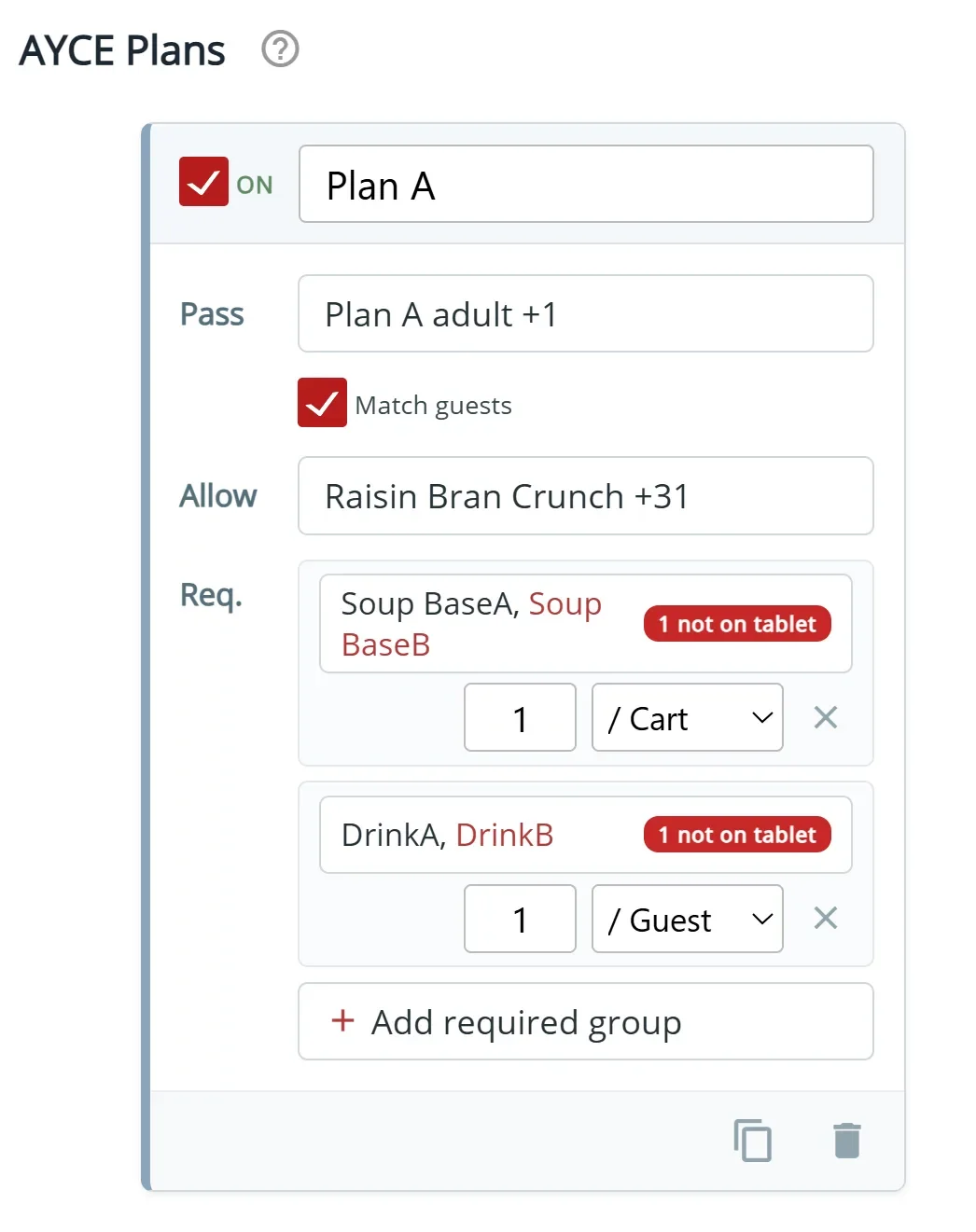
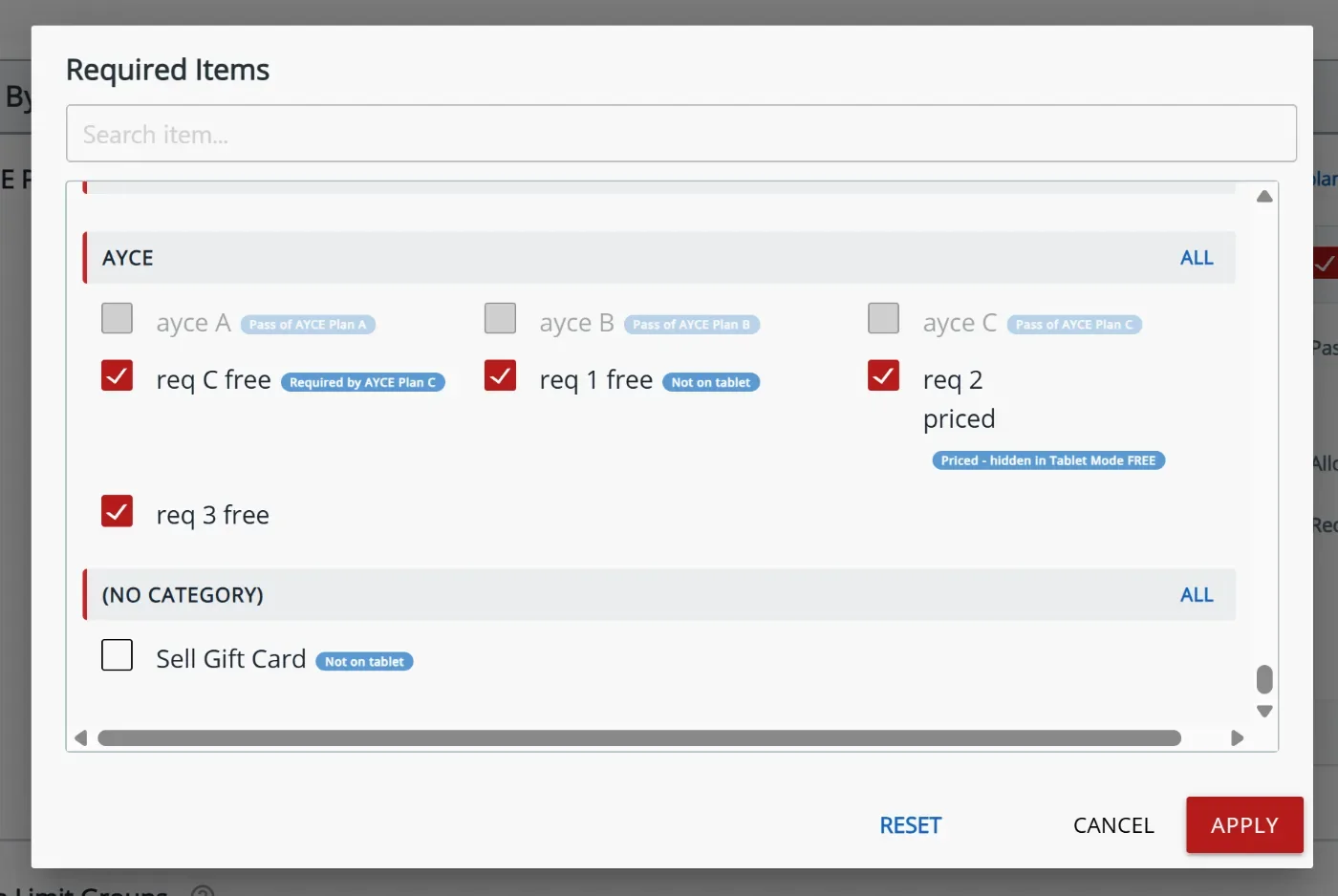
- In the new version, in Apps > AYCE > By Item AYCE Plans, users can set item groups that are required for this AYCE Plan. The required item count can be based on the number per cart or number per guest. If an item is hidden on the tablet due to any table settings, the interface will remind the users that the item is hidden. [Ticket #365465]
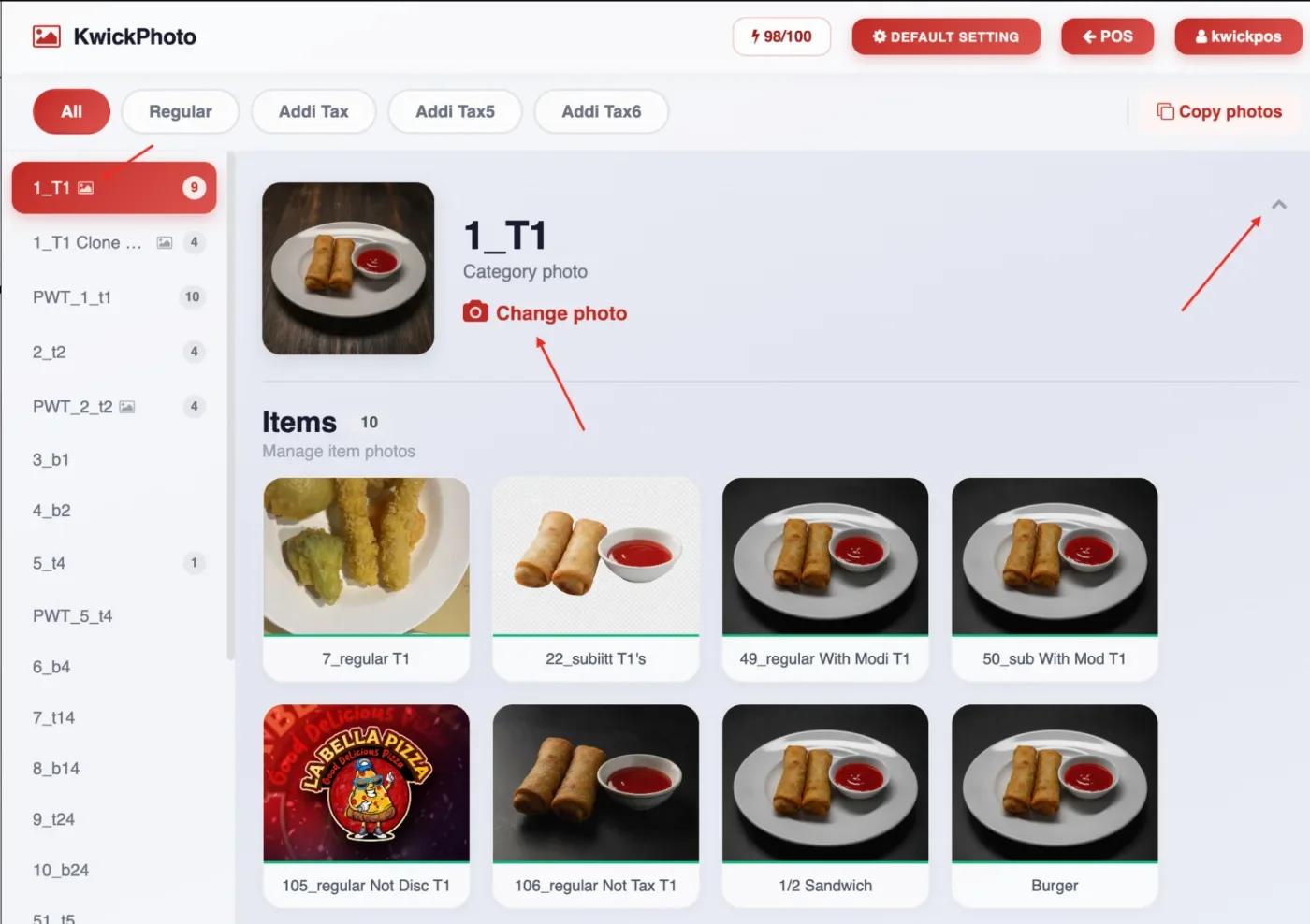
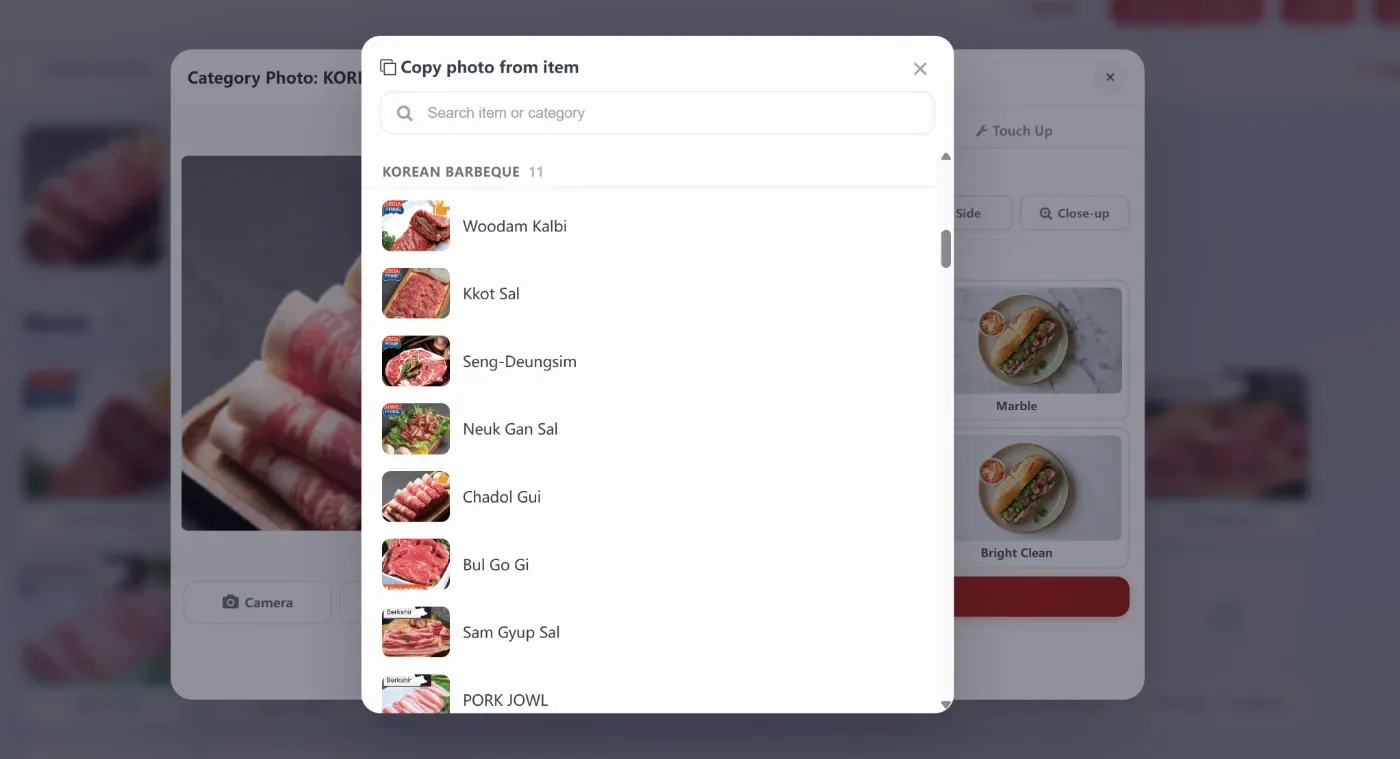
- In the new version, in the KwickPhoto page, users can now set photos for the category. They can either take a photo with the camera, upload the photo, or choose to reuse a photo from menu items. [Ticket #370739]
Online:
No release notes for this version.
Still need a hand?
Our 24/7 support team can walk you through it.
Call (888) 355-6996